Bring everyone's schedule, photos, and family life together onto one shared screen.
Dashie turns your Fire TV, Google TV, or any Android tablet into a shared family dashboard — calendars, photos, weather, and a glanceable view of what's happening today. Designed for the screen everyone in the house can see, not the one in your pocket.
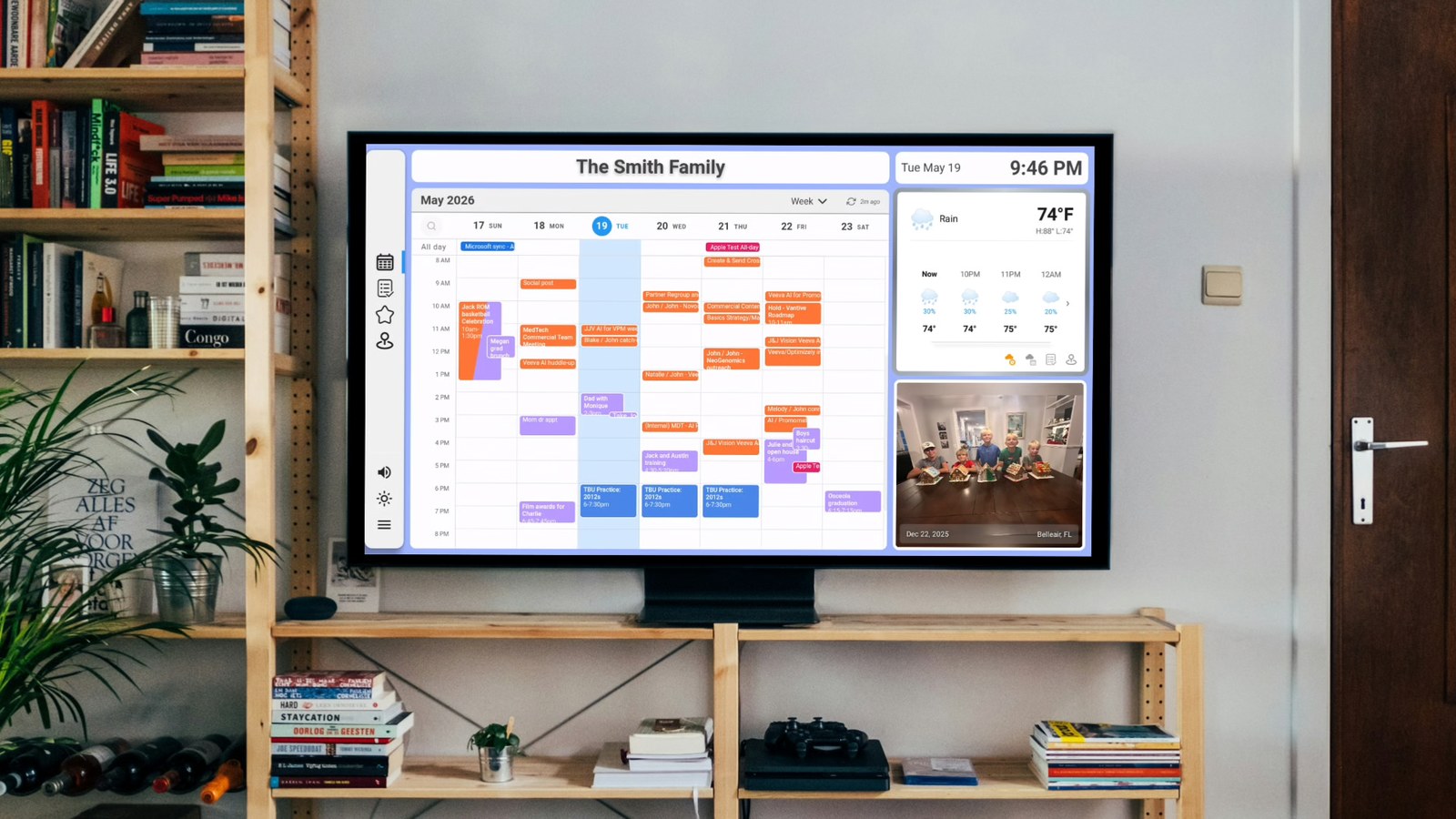
Google, Microsoft, and Apple calendars in one shared view, color-coded by family member
Upload up to 500 MB of family photos to rotate through the dashboard with date and location
Current conditions and hourly forecast for your location, right on the dashboard
Add family members with assigned colors and identities that flow across every Dashie widget
Schedule when the dashboard turns off at night and wakes back up in the morning
Assign chores to family members, award points, and configure rewards
Ask "When's Jack's next practice?" and get a natural-language answer from your dashboard
Real-time GPS sharing across family members with arrival and departure notifications
Ready to bring your family dashboard to life? Download Dashie and get going.
Get DashieGetting Started Guides:
Getting Started with Dashie | Smart TV Setup | Calendar Setup | Family ManagementTap a feature to learn more about what Dashie brings to your family screen.
Google, Microsoft, and Apple calendars, color-coded per family member
Connect any combination of Google, Microsoft (Outlook / Microsoft 365), and Apple iCloud calendars. Assign specific calendars to specific family members so events show up in their color and feed into per-person summaries.
Day, week, and month views; hide events you don't want on the family screen; filter by keyword. Calendars are added from the Dashie console or mobile site — not the TV — so the source of truth stays with the accountholder.
Calendar setup guide →Upload your memories and let them rotate through the dashboard
Upload up to 500 MB of family photos to the Dashie cloud and they'll cycle through the dashboard's photos widget. Each photo is shown with its date and location by default — great for nostalgia and great for the kids to learn family geography.
Photos sync to every Dashie device on your account so the same memories show up on the kitchen tablet, the living-room TV, and any other screen running Dashie.
Color-coded family identities that flow across every widget
Add the people in your household and assign each a color. That color becomes their identity throughout Dashie: calendar events in their color, attribution in shared summaries, and (soon) chore assignments and reward tracking.
Members can optionally be linked to their own Google account so their personal calendar pulls into the family view as theirs — without getting mixed up with anyone else's events.
Family management guide →Automatic dashboard schedule so the screen sleeps with you
Set the hours you want the dashboard active and Dashie handles the rest: dimming and turning the screen off at bedtime, waking back up in the morning. The schedule is per-device so the kitchen tablet and the bedroom display can keep their own hours.
For tablets that live on the charger 24/7, sleep/wake also helps preserve the screen and reduce battery wear.
Chores & Rewards, AI voice, and Location Sharing on the roadmap
Got something you want next? Tell us →